Running the Pipeline and its Outputs
Starting a Run
Once run.yaml has been properly filled out, the pipeline can be
launched (with an internet connection) with the following command:
(psy-ngs) $ cd path/to/this/repo/
(psy-ngs) $ python rkstr8_driver.py -p <pipeline-name> [ -a access_key_id ] [ -s secret_access_key ]
pipeline-nameat the moment is onlygermline_wgs.access_key_idandsecret_access_keyare theACCESS_KEY_IDandSECRET_ACCESS_KEYkey pair associated with the user’s AWS account. (Note: These only have to be included if you are running any Google Cloud processes.)
The pipeline initialization takes approximately 5 minutes. Afterwards, since the pipeline is serverless, the user can close their laptop (or similarly shut down their computer), and the pipeline will continue to run on AWS in the background.
Pipeline Output
For a given pipeline run, the user specifies the OUTPUT field in
the run.yaml file. All of the intermediate files and the final results of
the pipeline will be uploaded under the OUTPUT uri in the following scheme
if, for example, OUTPUT was set to s3://analysis/results/:
aws s3 ls s3://analysis/results/
                PRE bam-processing/
                PRE bam-qc/
                PRE bgz-gvcfs/
                PRE cohort-vcf-vqsr/
                PRE final-cohort-vcf/
                PRE logs/
                PRE processed-bams/
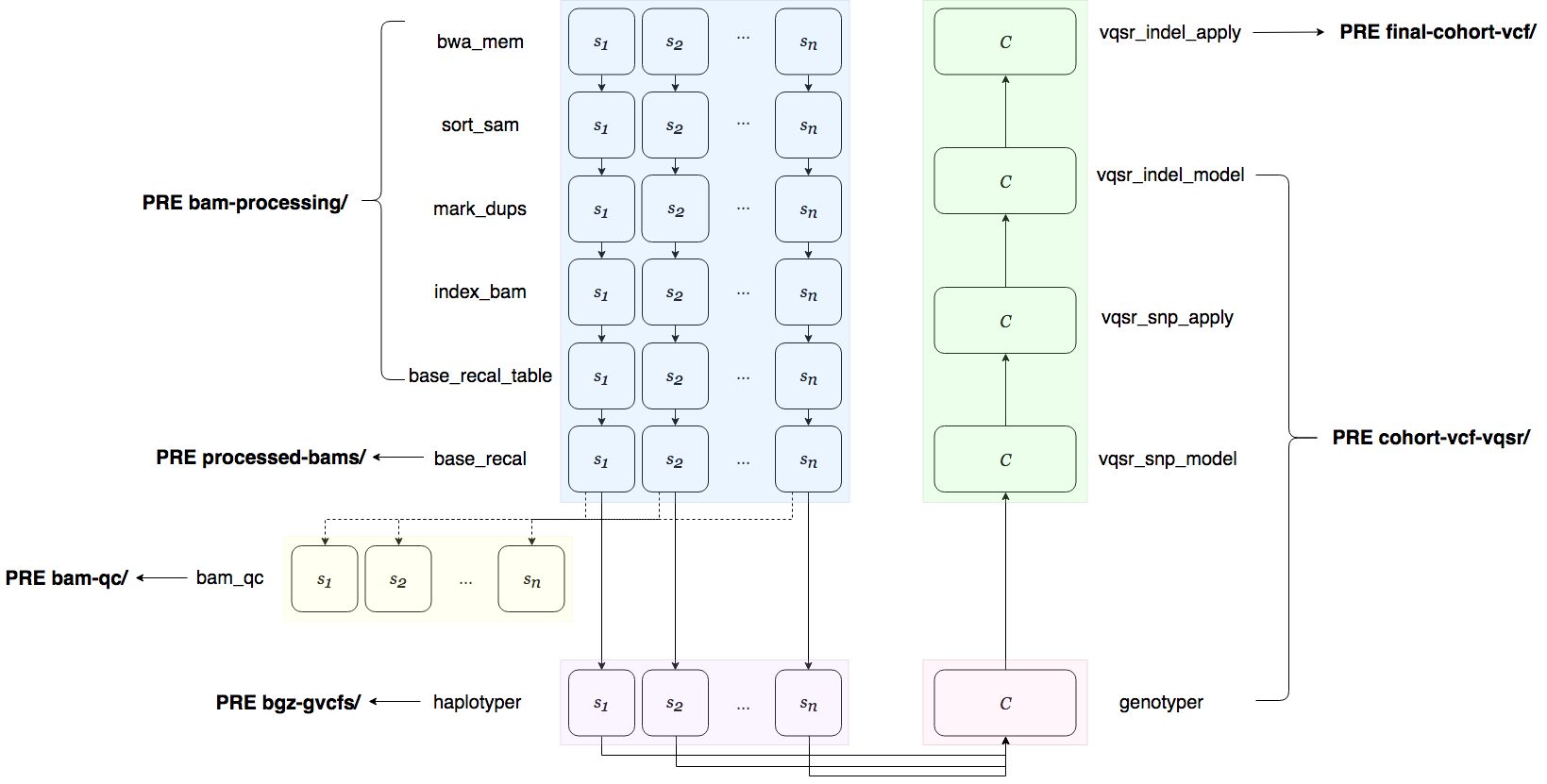
The figure below illustrates what files are written under which of the above
prefixes. Note that the PRE bam-qc/ prefix only appears if the user has
listed BAM for the QC parameter in run.yaml.
The logs/ prefix contains the logs for all of the pipeline steps.